
When you hear the word terminal, what is the first thing that comes to your mind? For some, it is the flickering green text on a black screen in a hacker movie. For others, it is the stressful feeling of rushing through an airport to catch a flight. Maybe you think of the little plastic device where you swipe your credit card at the grocery store. It is a word that seems to be everywhere, yet we rarely stop to think about what it actually means. At its simplest level, a terminal is just the end of something. It is the point where a connection starts or finishes. Whether it is a connection between a human and a computer, a ship and the land, or a battery and a wire, the terminal is the gateway.
In this guide, I want to pull back the curtain on all these different types of terminals. I have spent years working with technology, and I remember the first time I opened the terminal on my computer. I was terrified that if I typed the wrong thing, my laptop would suddenly explode or all my files would vanish forever. I want to help you move past that fear. We are going to look at how terminals work in computing, how they handle your money in shops, and how they keep the world moving in transportation. By the end of this, you will see that these systems are not just for experts. They are tools that anyone can understand.
The Digital Gateway: The Computer Terminal
Let us start with the one that intimidates people the most. In the world of computers, the terminal is a text-based interface. Most of us are used to what we call a Graphical User Interface, or GUI. This is where you use a mouse to click on folders, drag files, and press colorful buttons. It is very user-friendly, but it is actually just a “skin” over the real engine of the computer. The terminal allows you to talk directly to that engine. It is like being able to open the hood of a car and adjust the valves by hand instead of just turning the steering wheel.
I often tell beginners that the terminal is like a conversation. You type a command, and the computer gives you an answer. It is much faster than clicking through ten different menus to find a setting. For example, if I wanted to find every photo on my computer that was taken in 2022, I could spend an hour clicking through folders. Or, I could type one single line into the terminal and have the answer in two seconds. This efficiency is why programmers and data scientists love it. It is not about looking cool; it is about having total control over the machine.
There is a common confusion between three terms: the terminal, the console, and the shell. Let me break this down simply. The terminal is the window you see on your screen. It is just the box that holds the text. The shell is the actual program that lives inside that box. It is the “brain” that interprets the words you type. Think of the terminal as the telephone and the shell as the person on the other end of the line. You speak into the phone, but it is the person who understands and acts on your words. The console is usually a physical piece of hardware, like the keyboard and monitor attached to a big server.
Why You Should Not Be Afraid of the Command Line
I remember the first time I tried to use a terminal to fix a broken wifi driver on my old Linux laptop. I followed a tutorial online and typed in a long string of letters that looked like gibberish. I pressed enter, and suddenly, the screen filled with hundreds of lines of scrolling text. I thought I had broken the world. But then, the scrolling stopped, the wifi light turned on, and everything worked perfectly. That was my “aha” moment. I realized the terminal was not a monster; it was a shortcut.
One of the most powerful tools in a digital terminal is the “sudo” command. This stands for “superuser do.” It is the computer equivalent of saying, “I am the boss, and I am ordering you to do this.” It allows you to change deep system settings that are usually locked away for safety. This is where you have to be careful. In my early days, I once used a command to delete a folder, but I accidentally pointed it at my entire hard drive while using “sudo.” The computer did exactly what I told it to do. It started deleting everything. Thankfully, I pulled the power plug before it got too far, but that taught me a valuable lesson. The terminal is powerful, and with great power comes the need to double-check your typing.
Most modern computers come with a terminal built-in. If you have a Mac, it is just called Terminal. If you use Windows, you have PowerShell or the new Windows Terminal. If you have never opened it, I encourage you to do so. Just type ls (which stands for list) and press enter. You will see a list of the files in your folder. It is a small step, but it is the first step toward really owning your technology rather than just being a passenger.
Payment Terminals: How Money Moves
Now, let us step away from the computer screen and look at the terminal you use every single day at the store. The Point of Sale (POS) terminal is a fascinating piece of engineering. Have you ever wondered what happens in the three seconds between when you tap your card and when the machine says “Approved”? It is a high-speed digital handoff. The terminal reads the chip in your card, encrypts that data so hackers cannot steal it, and sends it to a payment processor. That processor then asks your bank if you have enough money. The bank says yes, and the message travels all the way back to the store.
In my opinion, the shift from “swipe and sign” to “chip and tap” has been one of the biggest improvements in daily security. When you swipe a card, the terminal just reads a magnetic strip that is very easy to copy. But modern terminals use a technology called EMV (Europay, Mastercard, and Visa). Each time you tap, the terminal creates a unique code for that specific transaction. Even if a criminal stole that code, they could never use it again.
There are also “virtual terminals.” These are great for small business owners who do not have a physical store. If you are a plumber or a freelance writer, you can log into a website on your phone and type in a customer’s credit card details. This turns your phone into a terminal. It is the same process, just without the plastic hardware. This has leveled the playing field for small businesses, allowing them to accept payments just as easily as a giant corporation.
Infrastructure: The Terminals That Connect the World
If we zoom out even further, we see terminals on a massive scale. Think of an airport terminal. Why do we call it that? Because it is the end of the ground transportation and the beginning of the air transportation. It is the interface where a person transforms from a “pedestrian” into a “passenger.”
Airport terminals are masterpieces of logistics. They have to manage the flow of thousands of people, their luggage, and the planes themselves. In my travels, I have noticed that the best terminals are the ones that feel invisible. You move from security to your gate without even thinking about it. But behind the scenes, there are massive software terminals controlling the baggage belts and the flight schedules.
We also have shipping terminals at our seaports. This is where those massive metal containers are moved from ships onto trucks or trains. If you look at a photo of a modern shipping terminal in a place like Singapore or Rotterdam, you will see very few people. Instead, you see giant cranes controlled by workers sitting in offices miles away, looking at computer terminals. These ports are the heart of the global economy. When a terminal gets backed up, like we saw during the global supply chain issues a few years ago, the whole world feels the pain. Prices go up because the “end of the line” is blocked.
Electrical Terminals: The Smallest Connections
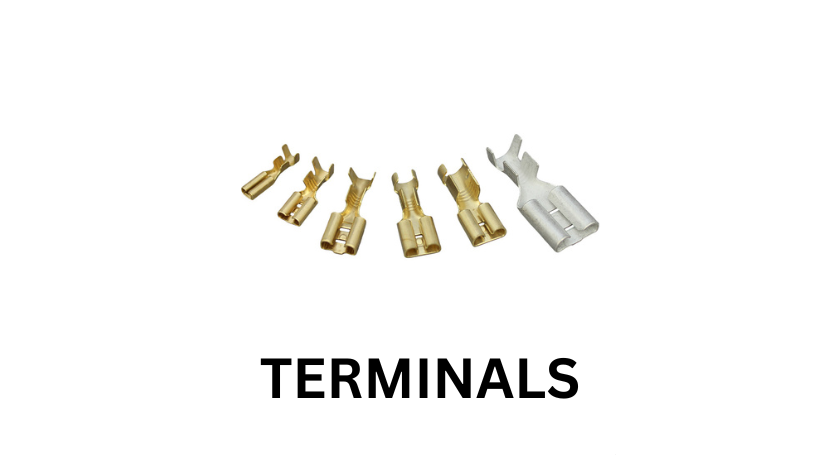
Finally, we have the most literal version of a terminal: the electrical terminal. This is simply the point where a wire ends and connects to a device. If you have ever opened the hood of your car and seen the two metal posts on the battery, those are terminals.
I once had a car that wouldn’t start. I thought the battery was dead and that I would have to spend two hundred dollars on a new one. But when I looked closely, I saw a bunch of white, crusty powder on the metal posts. This was corrosion. It was blocking the flow of electricity. I took a wire brush, cleaned the terminals until they were shiny, and the car started right up.
This is a great metaphor for all terminals. Whether it is a computer terminal or a shipping port, if the connection is “dirty” or blocked, nothing works. Maintenance is key. In the digital world, that means keeping your software updated. In the physical world, it means keeping your hardware clean.
Why This Matters for You
You might be wondering why you need to know about all these different types of terminals. The reason is that our world is becoming more integrated. The person who understands how a terminal works is the person who can solve problems.
If you are a business owner, understanding your payment terminal can help you save money on transaction fees. If you are a student, learning the basics of a computer terminal can make you much more attractive to employers. Even if you are just a traveler, understanding how an airport terminal is laid out can save you from the stress of a missed flight.
We are living in an age where the “ends of the lines” are where the magic happens. We are no longer just using tools; we are interacting with complex systems. The terminal is the handle we use to grasp those systems. Do not be afraid of the complexity. Instead, see it as an opportunity to learn. The next time you see a command line or a card reader, you won’t see a mystery. You will see a gateway.
Personal Reflection and Expertise
As someone who has navigated both the physical terminals of world travel and the digital terminals of software development, I can tell you that the principles are the same. It is all about input and output. You provide a command, a ticket, or a credit card (the input), and the system provides a result (the output).
My advice for anyone wanting to get better with technology is to start small. Don’t try to learn everything about the Linux terminal in one day. Just learn one command a week. For the first week, learn how to move between folders. For the second week, learn how to create a file. Over time, these small bits of knowledge will stack up. Before you know it, you will be the person that others come to for help.
Trust me, there is a great sense of satisfaction that comes from typing a command and watching the computer do exactly what you told it to do. It makes you feel like the computer is finally working for you, rather than you working for the computer.
Conclusion
The word “terminal” might sound final, but in reality, it is just the beginning of a process. From the text-based command lines that power our servers to the vast shipping docks that fuel our economies, terminals are the essential junctions of modern life. They are the points where human intent meets mechanical or digital action. By understanding how these interfaces work—whether they are electrical, financial, or digital—you gain a deeper understanding of the world around you. Don’t let the technical jargon or the complex layouts intimidate you. At their core, every terminal is designed to facilitate a connection. Once you master that connection, the possibilities are endless.
Frequently Asked Questions (FAQ)
1. Is the terminal the same thing as coding?
No, using a terminal is not exactly the same as coding, though they are related. Coding is writing a set of instructions for a program to follow later. Using a terminal is giving the computer direct commands to execute immediately. Think of coding as writing a recipe and the terminal as telling the chef what to do right now.
2. Can I break my computer by typing the wrong thing in the terminal?
It is possible, but difficult to do by accident. Most modern computers have safety features that prevent you from deleting important system files unless you specifically use administrative commands like “sudo.” As long as you don’t copy and paste commands from untrusted sources, you are generally safe.
3. What is a virtual terminal in business?
A virtual terminal is a web-based application that allows merchants to process credit card payments without needing a physical card reader. You simply log in to your payment processor’s website and manually enter the customer’s card details. It is perfect for remote sales or phone orders.
4. Why are airport buildings called terminals?
They are called terminals because they are located at the “terminus” or the end of the transportation lines. It is the final point for ground travel (cars, buses, trains) and the starting point for air travel.
5. How do I clean my car’s battery terminals?
You can clean them by disconnecting the cables (negative first!) and scrubbing the metal posts with a mixture of baking soda and water using a wire brush. This removes corrosion and ensures a strong electrical connection so your car starts reliably.